Geometry DashAPK
Table of Contents
Quick answer: In Geometry Dash your icon moves forward automatically and you tap (or press Space) to jump. Portals change you into eight different game modes, each reacting to taps differently. Learn levels in practice mode with checkpoints, follow the music for timing, and move up the difficulties from Easy to Demon.
The Basics
Geometry Dash is a rhythm-based platformer. You do not control speed or direction in classic levels; the screen scrolls by itself and every obstacle is placed on the beat of the song. Your only job is to time your inputs.
- Mobile: tap anywhere on the screen.
- PC: Space, Up arrow or left mouse click.
- Holding the input repeats jumps in cube mode and keeps you rising in ship and wave mode.
If you touch a spike, saw or wall, the attempt ends and you restart. The attempt counter is part of the fun: beating a hard level after 500 attempts feels great.
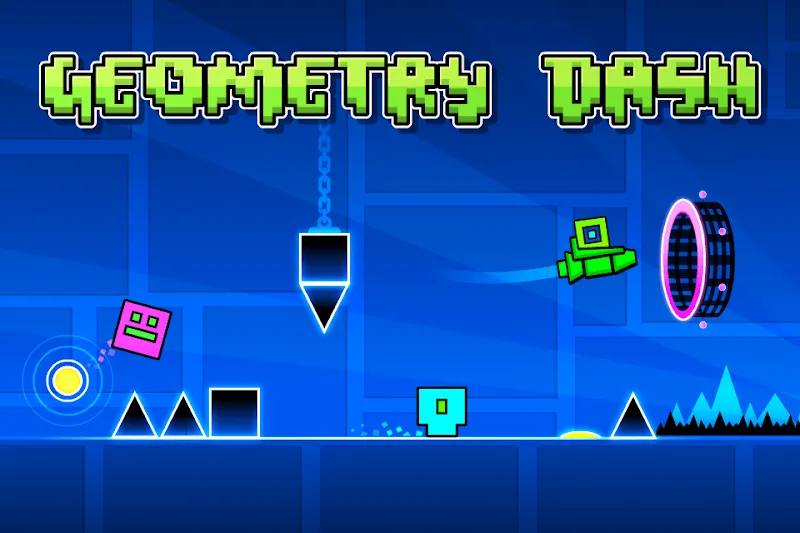
All 8 Game Modes and How to Control Them
1. Cube
Tap to jump. Jumps are always the same height, so timing is everything. Yellow pads and rings give extra bounce.
2. Ship
Hold to fly up, release to fall. Use short, gentle taps; beginners crash by holding too long.
3. Ball
Each tap flips gravity, so the ball rolls on the ceiling or floor. Tap early, because the flip takes a moment.
4. UFO
Each tap gives a small hop in the air, like Flappy Bird. Count the beats instead of panic tapping.
5. Wave
Hold to move diagonally up, release to move diagonally down. Narrow wave tunnels are the hardest skill in the game, so practise them slowly.
6. Robot
Like the cube, but holding longer makes a higher jump.
7. Spider
Each tap teleports you instantly to the opposite surface. Watch where the next floor is before you tap.
8. Swing
Added in 2.2. Each tap flips gravity mid-air, making a smooth swinging path. Rhythm matters more than reaction here.

Use Practice Mode the Right Way
Practice mode (the green diamond button in the pause menu) lets you place checkpoints. On mobile, tap the checkpoint button; on PC press Z to place and X to remove one.
- Play the level in practice and place a checkpoint after every hard part.
- Repeat each part until you can do it three times in a row.
- Then remove checkpoints and practise longer sections.
- Switch to normal mode only when practice runs feel easy.
Since update 2.209, death markers show where you crash most often, which makes it easier to see what to practise.
Difficulty Ratings Explained
| Difficulty | Stars (online levels) | Main levels with this rating |
|---|---|---|
| Easy | 2 | Stereo Madness, Back on Track |
| Normal | 3 | Polargeist, Dry Out |
| Hard | 4–5 | Base After Base, Can't Let Go |
| Harder | 6–7 | Jumper, Time Machine |
| Insane | 8–9 | xStep, Clutterfunk |
| Demon | 10 | Clubstep, Theory of Everything 2 |
Main levels use their own star values, so the star column above applies to online levels. Play the main levels in order: each one introduces a new idea and prepares you for the next.
How Platformer Levels Work
Platformer levels (added in 2.2) let you move left and right with on-screen buttons or A/D keys, and jump with the action button. They have checkpoints and reward moons instead of stars. Since 2.209 your platformer progress can be saved, so you can stop and continue later.

10 Tips to Get Better Faster
- Always play with sound; the music is your timing guide.
- Look ahead, not at your icon.
- Use small taps in ship and UFO sections.
- Learn hard parts in practice mode first.
- Play the main levels in order before online demons.
- Turn on "Show Percentage" in settings to track progress.
- Try a different device grip or fingers if inputs feel late.
- Take a break after 20–30 failed attempts in a row.
- Watch a video of the level to understand the route.
- Celebrate new best percentages, not just completions.
Ready to start? Get the official Geometry Dash APK or try the free Lite version.
Frequently Asked Questions
How do you play Geometry Dash?
Your icon moves forward automatically. Tap the screen (or press Space on PC) to jump or fly, avoid spikes and obstacles, and reach the end of the level.
What is the easiest level in Geometry Dash?
Stereo Madness, the first main level, is the easiest. It is rated Easy and is designed to teach the basic jump.
How many game modes are in Geometry Dash?
There are eight: cube, ship, ball, UFO, wave, robot, spider and swing. Platformer levels are a separate level type added in 2.2.
What is practice mode in Geometry Dash?
Practice mode lets you place checkpoints so you can repeat difficult sections without restarting the level from the beginning.
Is Geometry Dash hard for beginners?
The first levels are easy, and difficulty rises slowly through the main levels. Demon levels are very hard, but you can enjoy the game for a long time before you reach them.