Geometry DashAPK
Table of Contents
Quick answer: "Geometry Dash Scratch" means fan-made Geometry Dash-style games built on Scratch, MIT's free block-coding website (scratch.mit.edu). You can play them free in a web browser by searching "Geometry Dash" on Scratch and clicking the green flag. They are tributes made by fans, not official RobTop games. You can also make your own with a player sprite, gravity, a jump script and scrolling spikes.
What Is Geometry Dash on Scratch?
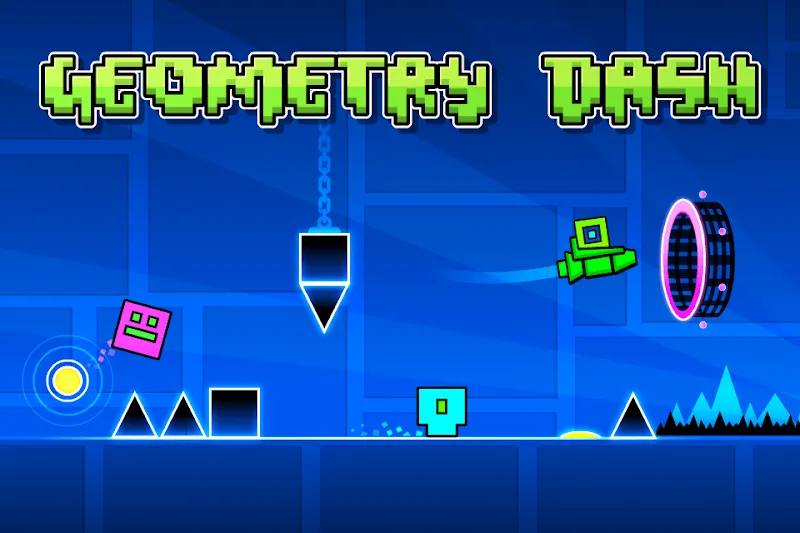
Scratch is a free programming platform from the MIT Media Lab where people, many of them students, build games by snapping code blocks together. Geometry Dash is one of the most remade games on Scratch because its basic idea is simple to code: a square that jumps over spikes in time with music.
Some Scratch projects recreate official levels such as Stereo Madness, while others add their own levels, icons and even simple level editors. Quality varies a lot, from rough first projects to impressive remakes with ship and wave modes.
How to Play Geometry Dash on Scratch
- Go to scratch.mit.edu in your browser.
- Type Geometry Dash in the search bar.
- Sort or look for projects with many views and loves; they are usually the most polished.
- Open a project and click the green flag. Use the full-screen button for a bigger view.
- Jump with Space, the Up arrow or a mouse click, depending on the project's instructions.
Tip: If a project runs slowly, Shift-click the green flag to switch on Scratch's Turbo Mode, or close other browser tabs.
Scratch Versions vs the Real Game
| Scratch fan games | Official Geometry Dash | |
|---|---|---|
| Price | Free in a browser | $3.99 (free Lite version) |
| Made by | Fans | RobTop Games |
| Levels | A few per project | 22 main levels + millions online |
| Physics | Approximate | Precise, music-synced |
| Best for | Quick play, learning to code | Serious play and level building |
How to Make Geometry Dash on Scratch (Step by Step)
This beginner version needs three sprites and about ten minutes. No coding experience is required.
Step 1: Create the sprites
- Player – a small square (about 30×30 pixels).
- Ground – a long flat rectangle along the bottom of the stage.
- Spike – a triangle.
Step 2: Add gravity and jumping to the Player
Create a variable called y velocity, then build this script on the Player:
- When green flag clicked → go to x: -150, y: -100 → set
y velocityto 0. - Forever: change
y velocityby -1.5, then change y byy velocity. - If touching Ground: change y by 1 until not touching Ground, and set
y velocityto 0. - If key space pressed and touching Ground (check just below the player): set
y velocityto 14.
Step 3: Make it spin like the real cube
While the player is in the air, turn it 6 degrees each frame. When it lands, point it in the nearest multiple of 90 degrees so it lands flat.
Step 4: Move the spikes
- When green flag clicked → hide → forever: wait 1 to 2 seconds, then create a clone of myself.
- When I start as a clone → go to x: 240, y: -100 → show → repeat until x < -240: change x by -8 → delete this clone.
Step 5: Add game over and music
- On the Player: if touching Spike → broadcast
game over, play a crash sound and restart. - Add a song to the Stage and use play sound until done inside a forever loop.
- Time your spike clones to the beat so jumps feel musical, just like the real game.

Step 6: Polish
- Add an
attemptsvariable that increases on every restart. - Add a progress bar with a variable that grows as the level scrolls.
- Try a ship section: when the player touches a portal sprite, switch to "hold to fly" controls.
Is Geometry Dash Scratch Safe?
Scratch is a moderated, kid-friendly platform run by a non-profit, and playing projects needs no download. Just remember that Scratch projects are fan-made; for the full experience with official levels, online levels and the editor, get Geometry Dash or the free Geometry Dash Lite.

Frequently Asked Questions
What is Geometry Dash Scratch?
It refers to fan-made Geometry Dash-style games created on Scratch, MIT's free block-coding website. They can be played free in a browser but are not official RobTop games.
How do I play Geometry Dash on Scratch?
Go to scratch.mit.edu, search for Geometry Dash, open a project and click the green flag. Jump with Space, the Up arrow or a click.
How do you make Geometry Dash on Scratch?
Create a player square, ground and spike sprites, add gravity with a y velocity variable, make the player jump when Space is pressed on the ground, and move spike clones from right to left. End the game when the player touches a spike.
Is Geometry Dash on Scratch free?
Yes. Scratch and all its projects are free to play in a web browser.
Is Geometry Dash Scratch the same as the real game?
No. Scratch versions are simplified fan tributes. The official Geometry Dash has 22 main levels, a full level editor and millions of online levels.