Geometry DashAPK
Table of Contents
Quick answer: A Geometry Dash mod APK is an unofficial, modified copy of the paid game, usually advertised as "unlocked" or "full version free". These files are not made by RobTop Games, often carry adware or malware, break with every update and can get your account removed from leaderboards. The safe way to mod Geometry Dash is Geode, a community mod loader that runs on top of the official game you own.
What Is a Geometry Dash Mod APK?
"Mod APK" sites take the Android install file of a paid game, change its code and re-upload it. For Geometry Dash, the usual promises are:
| What they promise | What really happens |
|---|---|
| "Full version for free" | A pirated copy of a $3.99 game, signed by an unknown person instead of RobTop |
| "All icons unlocked" | Changed save data that can be reset or flagged when you sync with your account |
| "Unlimited diamonds and orbs" | Edited numbers that are useless online and can lead to leaderboard removal |
| "Latest 2.2 mod" | Often an old build that can't connect to current online levels |
| "No virus, 100% safe" | No way to verify; the signature does not match the official app |

5 Risks of Geometry Dash Mod APKs
- Malware and adware. Modified installers are a classic way to hide aggressive ads, data trackers or worse.
- Account theft. Some fake builds show a copied login screen to capture your Geometry Dash or Google credentials.
- Leaderboard removal. Uploading hacked stars, diamonds or coins can get your account removed from the game's leaderboards.
- Broken updates. A mod APK can't update through Google Play. Every new version means uninstalling, and uninstalling deletes unsaved local progress.
- It hurts the developer. Geometry Dash is made by one main developer and has no ads or in-app purchases. The one-time price is how the game gets funded.
Red flags: an APK asking for SMS, contacts, accessibility or "display over other apps" permissions; a package name that is not com.robtopx.geometryjump; or a site that forces you to install another app before the download starts.
The Safe Alternative: Geode Mod Loader
Geode is a free, open-source mod loader and modding SDK made by the Geometry Dash community. Instead of replacing the game with a modified APK, it loads mods on top of the official game you bought. According to its official site, it works on Windows, macOS, Android and iOS.
Built-in mod browser
Install, update and remove mods from a menu inside the game.
Texture packs
Change the look of icons, blocks and menus with community texture packs.
Quality of life
Better level search, menu tweaks, extra editor tools and accessibility options.
Compatible mods
Geode is designed so different mods work together instead of conflicting.
How to install Geode
- Buy and install the official Geometry Dash from Google Play, the App Store or Steam.
- Back up your progress: Settings > Account > Save.
- Go to the official site geode-sdk.org and open the Install page for your platform.
- On Android, Geode is installed through its official launcher app, which loads your purchased copy of the game.
- Open Geometry Dash through Geode and use the Geode button to browse mods.
Status in October 2026: the Geode website says the recent Geometry Dash 2.2091 update broke Geode and that the team is working on a fix. If Geode crashes for you, uninstall it and wait for the updated release before trying again.

How to Unlock Icons Without Mods
- Beat main levels and collect their three secret coins.
- Earn stars and moons by completing rated online levels.
- Complete achievements – most icons are tied to an achievement.
- Do daily quests and open chests for orbs, diamonds and keys.
- Spend orbs in the shops for icons, colours and trails.
- Play Daily, Weekly and Event levels, which can now be replayed since 2.209.
Want Geometry Dash for Free?
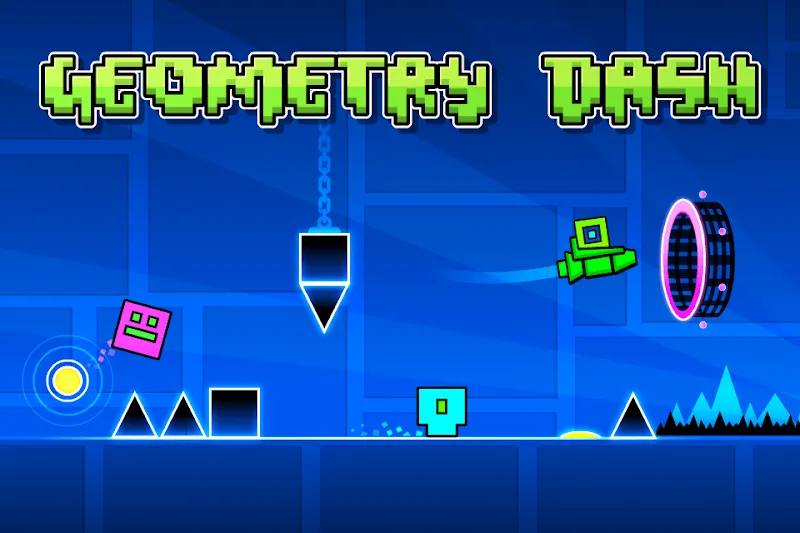
The legal free options are the official spin-offs: Geometry Dash Lite, World, SubZero and Meltdown. When you're ready for the editor and online levels, get the official Geometry Dash APK from Google Play.
Frequently Asked Questions
Is Geometry Dash mod APK safe?
No. Mod APKs are unofficial modified copies that are not signed by RobTop Games. They can contain malware or account stealers and cannot update through Google Play.
Can you get banned for using a Geometry Dash mod APK?
Uploading hacked stats such as stars, diamonds or coins can get your account removed from the leaderboards.
What is Geode in Geometry Dash?
Geode is a free, open-source community mod loader for Geometry Dash. It loads mods on top of the official game and supports Windows, macOS, Android and iOS.
Does Geode work with Geometry Dash 2.2091?
As of October 2026, the Geode website says update 2.2091 broke Geode and a fix is in progress. Check geode-sdk.org before installing.
Is there a free legal Geometry Dash?
Yes. Geometry Dash Lite, World, SubZero and Meltdown are free official games from RobTop Games.